


Satisfactory server hosting
A factory that runs while you sleep.
Your factory keeps producing even when nobody is online. Invite your team and expand together.
- DDoS protected
- 24/7 support
- Live the moment you pay

Satisfactory
From $9.99 first monthPick a size
8 GB
4 players
12 GB
8 players
16 GB
12 players
Standard plan, 12 GB
$14.99first monthSetting up your Satisfactory server
- Server reserved
- Satisfactory installed
- Address ready
Nothing for you to do here. Really.
You are live
OnlinePaste this into Satisfactory and play.
Server address
203.0.113.24:7777
3 friends joined
- DDoS protectionAlways on, every plan
- 24/7 supportReal people, any hour
- Low pingFast game hardware
- Live in 60 secondsNo setup, no waiting
- Cancel any timeNo contracts, ever
Pricing
Pick your Satisfactory plan
Every plan is live the moment you pay. Upgrade or cancel from your dashboard any time.

Starter
8 GBThen $19.99/mo.
Splitting with 3 friends? $6.02 each/mo
- 8 GB RAM
- 2 vCPU cores
- Up to 4 players
- DDoS protection included
- 24/7 support
Standard
12 GBThen $29.99/mo.
Splitting with 3 friends? $8.52 each/mo
- 12 GB RAM
- 3 vCPU cores
- Up to 8 players
- DDoS protection included
- 24/7 support
Pro
16 GBThen $39.99/mo.
Splitting with 3 friends? $11.02 each/mo
- 16 GB RAM
- 4 vCPU cores
- Up to 12 players
- DDoS protection included
- 24/7 support
Made for Satisfactory
Everything a great Satisfactory server needs
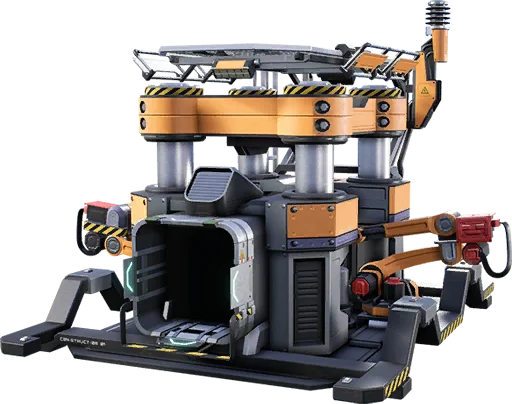

Always producing
The factory runs around the clock, not only when the host plays.
Made for megabases
Plans with the headroom late game factories need.
Save backups
Roll back if a blueprint goes wrong.
In game
A look inside Satisfactory
Real screenshots from the game. Click any of them to see it full size.
Requirements
How much RAM does a Satisfactory server need?
Find the row that sounds like your group and we will point you at the right plan.
| Your server | RAM | Plan |
|---|---|---|
| New or mid game save, up to 4 players | 8 GB | Starter$19.99/mo |
| Late game factory, 4 to 8 players | 12 GB | Standard$29.99/mo |
| Megabase, heavy mods or 8 players and up | 16 GB | Pro$39.99/mo |
Your control panel
Every button you need. Try it.
This is the Satisfactory panel you get. Click any button, or type a command.
Satisfactory Server
203.0.113.24:7777
[12:00:00] Starting Satisfactory server
[12:00:03] Loading world
[12:00:06] Server started on port 7777
[12:00:09] Ready for players. Try a button.
Power
Connecting
How to join your Satisfactory server
- 1
Launch Satisfactory and open Server Manager from the main menu.
- 2
Click Add Server, enter the server IP and port and confirm.
- 3
The first person to connect claims the server by naming it and setting an admin password.
- 4
Friends add the same address, enter the player password if you set one, and click Join Game.
Common problems
Owner joins first
The first person to connect claims the server and sets the admin password, so the owner should connect before sharing it.
Server not responding
Make sure the server is online. Servers sleep after 90 minutes with nobody playing, and anyone with access can start them again from the dashboard in one click.
Use the server address
Do not use localhost, 127.0.0.1 or your own IP from a home hosting guide. Copy the exact address of the server.
No port forwarding or firewall changes
Opening ports on your router is only for hosting a server at home, so there is nothing to change to join this one. If Windows asks whether to let the game through the firewall, choose Allow.
Mods and plugins
Modding your Satisfactory server
Satisfactory mods use the Satisfactory Mod Loader and are installed with Satisfactory Mod Manager from ficsit.app, which can install mods straight onto a dedicated server. Only mods marked as server compatible on ficsit.app work, and every player needs the same mods and versions as the server.
About
Satisfactory server hosting, explained
A Satisfactory dedicated server keeps your factory running when nobody is hosting it. In normal co-op the world pauses the moment the host quits, so production stops and friends cannot play alone. On a dedicated server the save keeps loading, trains keep running and every player can drop in on their own schedule to expand the build.
The server installs through SteamCMD as app ID 1690800 and runs natively on both Windows and Linux. Unlike most games it is set up from inside the game: you add it in the Server Manager, claim it with a server name and admin password, then create a new session or upload an existing save from the Manage Saves tab. It needs port 7777 over UDP and TCP plus port 8888 over TCP for reliable messaging, and the external and internal port numbers must match.
Satisfactory servers need more memory than their player count suggests, because the whole factory is simulated whether anyone is nearby or not. A fresh save runs fine on 8 GB, but late game factories with thousands of machines, long conveyor networks and many players push toward 12 to 16 GB, and fast single core speed keeps the simulation smooth. On our plans you can upgrade as the factory grows and keep the same save.
Guides
Satisfactory server guides
How to Host a Satisfactory Server (Quick Start Guide)
How to host a Satisfactory server in minutes. Pick a plan, claim it in Server Manager, set an admin password, upload your save and keep the factory running.
ReadHow to Install Mods on a Satisfactory Server (SMM Guide)
How to install mods on a Satisfactory dedicated server with Satisfactory Mod Manager: Manage Servers, SFTP, server compatible mods and matching profiles.
ReadHow to Make a Satisfactory Server (2026 Guide)
Set up a Satisfactory dedicated server step by step. SteamCMD app 1690800, ports 7777 and 8888, claiming in Server Manager, saves, mods and fixes.
ReadHow to Reset a Satisfactory Server Admin Password
Forgot your Satisfactory server admin password, or someone else claimed your server? Reset it by deleting ServerSettings.7777.sav and claim it again.
ReadHow to Upload a Satisfactory Save to a Dedicated Server
Upload your Satisfactory single player or co-op save to a dedicated server with Server Manager, or by file copy. Save locations, loading and fixes.
ReadSatisfactory Server Can't Connect? Fix Server Manager Errors
Satisfactory server can't connect, timed out or "Failed to connect to the Server API"? Fix ports 7777 and 8888, versions, clock and Server Manager errors.
ReadNo surprises
Included on every plan
- Always on DDoS protection
- 24/7 support from real people
- Low ping game hardware
- Live the moment you pay
- Your own address and port
- Live console with full access
- One click game actions
- One click backups
- Upgrade or cancel any time
FAQ
Questions, answered


How much RAM for a late game factory?
Most teams are happy on 12 GB. Megabases with many players want 16 GB.
Can I upload my single player save?
Yes. Open the server in Server Manager, go to Manage Saves and upload your save, then load it. Your whole factory moves to the server.
How do I claim the server and set an admin password?
Add the server in Server Manager. The first person to connect claims it by giving it a name and an admin password. You can set a separate player password afterwards.
Can I run mods on a Satisfactory server?
Yes. Use Satisfactory Mod Manager from ficsit.app to install server compatible mods on the server, and make sure every player runs the same mods.
How many players can join?
Satisfactory sets a default limit of 4 players, which can be raised in the server settings. Bigger groups need more RAM, and the game is balanced around smaller teams.
Do Steam and Epic players play together?
Yes. The dedicated server accepts players from both Steam and the Epic Games Store, as long as everyone is on the same game version.
Are your servers protected from DDoS attacks?
Yes. Every server on every plan sits behind always on DDoS protection at no extra cost, so attacks and booters do not knock your group offline.
When can I get help?
Any time. Support is 24/7, and the people answering run game servers every day. Email support@gamezservers.com whenever you need us.
Will my server lag?
Our servers run on fast game hardware on low latency networks for smooth, low ping play. If your group grows or adds heavy mods, upgrade in one click and keep your world.
How fast is setup, really?
Your server starts building the moment Stripe confirms payment. Most are online in under a minute, and the address and login appear on your dashboard automatically.






Your Satisfactory server is a minute away
A factory that runs while you sleep.
Deploy Satisfactory nowLive in 60 seconds · Cancel any time
Satisfactory is a trademark of Coffee Stain Studios. GamezServers is not affiliated with or endorsed by Coffee Stain Studios.
Satisfactory
From $9.99 first month