

Tower Unite server hosting
A Tower Unite condo that stays open for parties, events and hangouts
Host a Tower Unite dedicated condo that stays open while you are offline. Up to 64 guests, eleven condo maps, auto save and a spot on the public condo list.
Staying longer? Subscribe and get 50% off your first month
- DDoS protected
- 24/7 support
- Live the moment you pay

- Split the billUp to 10 friends, own cards
- Custom plansAny RAM up to 32 GB
- Prepaid or monthly3 days to 1 year
- Live in 60 secondsNo setup, no waiting
- Cancel any timeNo contracts, ever
Pick your Tower Unite plan
Every plan is live the moment you pay. Upgrade or cancel from your dashboard any time.
Starter
4 GBThen $9.99/mo. $0.33 a day.
- 4 GB RAM
- 2 vCPU cores
- DDoS protection included
- 24/7 support
Standard
8 GBThen $19.99/mo. $0.67 a day.
Splitting with 3 friends? $6.02 each/mo
- 8 GB RAM
- 2 vCPU cores
- DDoS protection included
- 24/7 support
Pro
12 GBThen $29.99/mo. $1.00 a day.
Splitting with 3 friends? $8.52 each/mo
- 12 GB RAM
- 3 vCPU cores
- DDoS protection included
- 24/7 support
What comes set up on a Tower Unite server
Up to 64 guests
Set Max Players from 2 to 64 for anything from a small hangout to a packed club night.
Eleven condo maps
Pick the classic condo, House, Underwater, Highrise, Theatre, Courtyard, Ice Moon and more in the panel.
Builds are kept
Auto Save stores the condo after changes, so every room you decorate is still there next time.
On the condo list
We make the Steam token. Add your free Tower token and the condo shows on the public list.
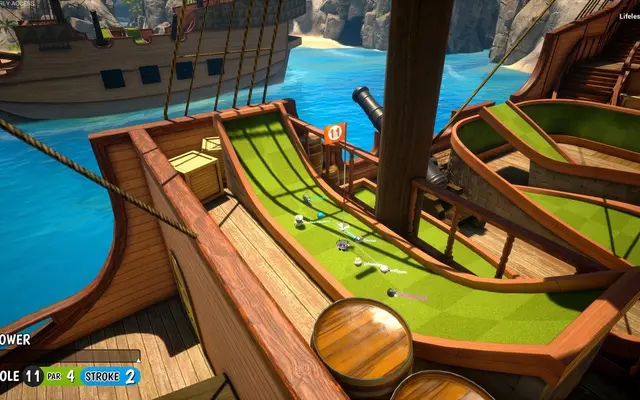
A look inside Tower Unite
Real screenshots from the game. Click any of them to see it full size.
How much RAM does a Tower Unite server need?
Find the row that sounds like your group and we will point you at the right plan.
| Your server | RAM | Plan |
|---|---|---|
| Small hangout condo with light decoration | 4 GB | Starter$9.99/mo |
| Heavily decorated condo with 32 guests | 8 GB | Standard$19.99/mo |
| Event condo near 64 players | 12 GB | Pro$29.99/mo |
This is the panel. Click around.
This is the Tower Unite panel you get. Click any button, or type a command.

Tower Unite Server
play.gamezservers.com:7777
[12:00:00] Starting Tower Unite server
[12:00:03] Loading world
[12:00:06] Server started on port 7777
[12:00:09] Ready for players. Try a button.
Power
How to join your Tower Unite server
- 1
Launch Tower Unite and open the Condos tab from the main menu.
- 2
Find your server title in the list of open condos.
- 3
Select it and click Join.
Common problems
Not on the condo list? The Tower Login Token is missing or wrong. Make one at moderation.towerunite.com, paste it in the panel and restart.
Make yourself admin: add an AdminSteamID= line with your SteamID64 to Tower/Saved/Config/LinuxServer/TowerServer.ini and restart.
Workshop items work, but their collision does not in dedicated condos. Put blocking volumes around them so guests do not walk through.
Server not responding
Make sure the server is online. Servers sleep after 4 days with nobody playing, and anyone with access can start them again from the dashboard in one click.
Use the server address
Do not use localhost, 127.0.0.1 or your own IP from a home hosting guide. Copy the exact address of the server.
No port forwarding or firewall changes
Opening ports on your router is only for hosting a server at home, so there is nothing to change to join this one. If Windows asks whether to let the game through the firewall, choose Allow.
Tower Unite server hosting, explained
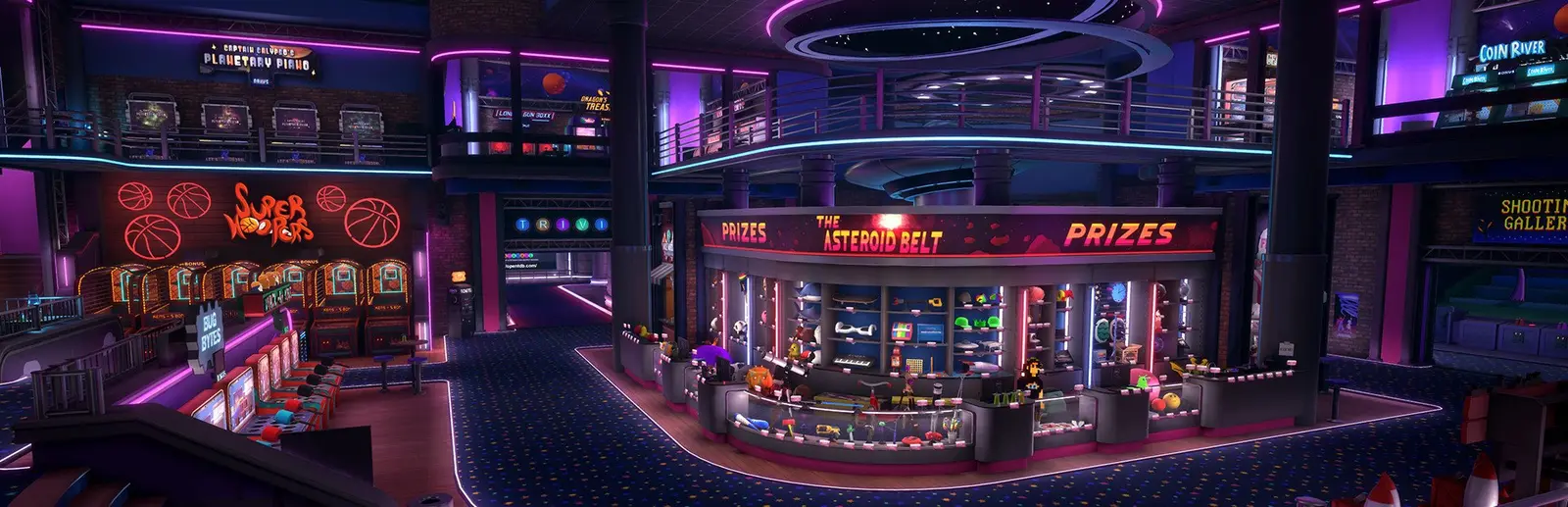
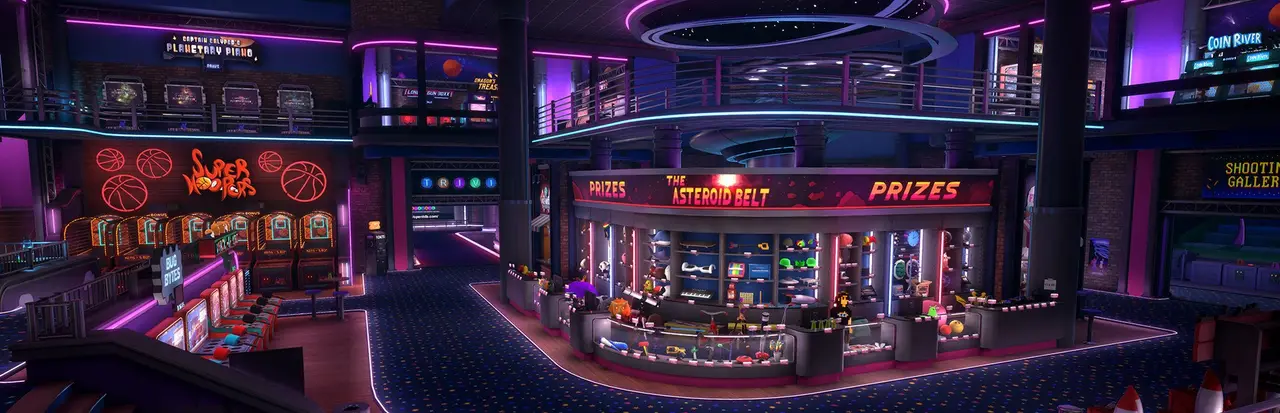
Tower Unite is PixelTail Games' social hangout game: a big Plaza full of activities, a set of minigames like Ball Race and Minigolf, and condos you build and decorate yourself. A condo is your personal space, and on a dedicated server it becomes a place that stays open for clubs, dance nights, roleplay groups, build crews and anyone who wants a regular spot to hang out.
A normal condo only exists while its owner is in game. A dedicated condo runs on its own, so your community can drop in at any hour and find the place exactly as it was left. Guests bring their own inventory and, with the permissions you give them, help build. Event hosts use dedicated condos for concerts, movie nights and contests that would be awkward to run from their own PC.
In the panel you pick the condo map, set a title and max players, and turn auto save on so every build is kept. We make the Steam login token. The Tower login token comes from Tower Unite's own site and puts your condo on the public condo list. Admins are added by Steam ID in TowerServer.ini, and admins can kick, ban and edit the condo's save.
Condo servers scale with how much is built and how many people show up. A small hangout spot fits on 4 GB. A heavily decorated condo with around 32 guests should use 8 GB, and big event condos near the 64 player limit run best on 12 GB. A club can split the bill between up to 10 members, each paying their share, and move up a plan in the panel before a big event.
Tower Unite server guides
Tower Unite6 min readHow to Host a Tower Unite Dedicated Condo Server (2026 Guide)
Host a Tower Unite dedicated condo: SteamCMD app 439660, TowerServer.ini, Steam and Tower login tokens, ports 7777 and 27015 to 27050, and admins.
ReadTower Unite5 min readHow to Move Your Tower Unite Condo to a Dedicated Server
Move a Tower Unite condo to a dedicated server: Export Condo to .map, upload it as Tower/Condos/C_Condo/C_Condo.map, and fix load errors.
ReadTower Unite5 min readTower Unite Dedicated Condo Not Showing on the Condo List? Fixes
Fix a Tower Unite dedicated condo missing from the Condos list: Steam and Tower login tokens, "Disconnecting from AGC", condo bans, ports and updates.
ReadIncluded on every plan
- Always on DDoS protection
- 24/7 support from real people
- Low ping game hardware
- Live the moment you pay
- Your own address and port
- Live console with full access
- One click game actions
- One click backups
- Upgrade or cancel any time
Common questions
How many players can a Tower Unite condo hold?
Dedicated condos support 2 to 64 players, and the server starts at 32. Change it with Max Players in the panel.
What are the Steam and Tower login tokens?
The Steam token gives the server its Steam identity, and we make it for you. The Tower token comes from Tower Unite's moderation site and lists your condo publicly. That one you make and paste in.
How do players join my condo?
From the Condos tab in the main menu. Every public condo that is open is listed there. Select yours and click Join.
Which condo maps are available?
Eleven, including Condo, House, Underwater, Highrise, Art Studio, Theatre, Courtyard and Ice Moon. Pick one with Game Map and restart.
How do I become admin of my dedicated condo?
Add an AdminSteamID line with your SteamID64 to TowerServer.ini in the file manager and restart. Add one line per admin.
Do Workshop items work?
Yes, they can be placed, but PixelTail notes Workshop collision does not work in dedicated condos yet. Blocking volumes around them fix that.
Is my condo saved?
Yes, with Auto Save on, the condo saves after changes. Take a backup in the panel before a big rebuild.
How much RAM does a dedicated condo need?
4 GB for a small hangout, 8 GB for a busy decorated condo, 12 GB for big events near 64 players.
Is GamezServers affiliated with Tower Unite?
No. You rent and control your own dedicated Tower Unite server. GamezServers is not affiliated with the game's developer or publisher.
Can my friends and I split the cost?
Yes. At checkout choose "Me and my friends" and up to 10 people each pay their own share with their own card, on any plan length, from 3 days to a year. It is not a payment plan: nobody pays in parts over time, each friend simply pays their own share. You pay yours, send each friend their link, and the server starts straight away. Each share includes a $1 payment fee.
Can I build a custom plan?
Yes. Every game has a Build your own page: pick any amount of RAM up to 32 GB, any length from 3 days to 1 year, prepaid or a subscription, plus your server type and settings. A custom size costs 15% more per GB than the standard plans next to it.
Can I pay once instead of a subscription?
Yes. Pick Prepaid and pay once for 3 days, 30 days, 6 months or a year. Nothing renews: when the time is up the server pauses and keeps its world for 14 days. Add time or switch to a subscription from your panel any time. Short rentals cost more per day, since every server is set up from scratch.
How fast is setup, really?
Your server starts building the moment Stripe confirms payment. Most are online in under a minute, and the address and login appear on your dashboard automatically.
Players who host Tower Unite also host


Your Tower Unite server is a minute away
A Tower Unite condo that stays open for parties, events and hangouts
Deploy Tower Unite nowLive in 60 seconds · Cancel any time
GamezServers is not affiliated with PixelTail Games. Tower Unite and its art are trademarks of their respective owners.