

 Path Of Titans
Path of Titans Admin Commands, Staff Roles and Commands.ini
Add admins to a Path of Titans server with ServerAdmins in Game.ini, then use /promote, /kick, /ban, /announce, /teleport and other admin commands.
Updated Oct 7, 2026 · 6 min read
On this page
To make someone an admin on a Path of Titans server, add their Alderon Games ID to Game.ini as a ServerAdmins= line under [/Script/PathOfTitans.IGameSession], then restart. From then on they can type admin commands in chat, such as /kick, /ban, /announce and /teleport, and promote other staff in game with /promote <player> <role>. Roles and what each one may do are defined in Commands.ini. Type /help on your server for the exact list your version supports.
The two ways to give admin rights
| Method | Best for | Survives restarts |
|---|---|---|
ServerAdmins in Game.ini |
The owner and head admins | Yes, it is read on every start |
/promote in chat |
Moderators and helpers you add later | Yes, the server stores the role |
Start with Game.ini for yourself. There is no way to promote the first admin from inside the game, because nobody has the rights to do it yet.

Step 1: find the Alderon Games ID
Path of Titans identifies players by their Alderon Games ID (AGID), not their display name. It has the format 123-456-789. Each player can find theirs in the game's settings or account screen, and it is also shown in the Alderon launcher and on their account page at alderongames.com. Ask your staff to send it to you in text, since copying it from a screenshot is where typos come from.
Step 2: add ServerAdmins to Game.ini
Stop the server. Open Game.ini. On a Linux server it is at:
PathOfTitans/Saved/Config/LinuxServer/Game.ini
On a Windows server the folder is WindowsServer instead. Find or add the session section and put one line per admin:
[/Script/PathOfTitans.IGameSession]
ServerAdmins=123-456-789
ServerAdmins=987-654-321
Keep the existing lines in that section, such as the server description or password, and only add to it. Save the file and start the server. Join, open chat and run /help. An admin sees the admin commands in that list.
Step 3: promote the rest of your staff in game
Once you are an admin, give roles to others without touching files:
/promote 987-654-321 moderator
/demote 987-654-321
You can use a player's name instead of the AGID when they are online. Use the AGID when names are similar or contain special characters.
Roles and Commands.ini
Roles live in Commands.ini, in the same config folder. Out of the box it has roles like Owner, Admin and Moderator. Each role section can set:
- Permissions, the list of commands that role may run
- ChatColor, how members appear in chat
- AllowSpectatorAccess, access to spectator mode and the admin panel
- ReservedSlot, a guaranteed slot when the server is full
- CreatorModeAccess, the creator tools for placing food, water and quest items
- Hierarchy, a number that sets precedence, so a lower role cannot kick, ban or demote someone above it
A common structure is helpers with a chat color and a reserved slot but no punishments, moderators with kick, mute and short bans, admins with long bans, teleport and creator mode, and the owner role for role management. Edit the file with the server stopped, keep a copy of the original, and restart.
The commands you will use most
Commands are typed in chat with a leading slash. Syntax can change between game versions, so check /help on your server.
Moderation
| Command | What it does |
|---|---|
/kick <player> <reason> |
Removes a player, they can rejoin |
/ban <player> <duration> <admin reason> <player reason> |
Bans a player, the player reason is what they see |
/banip <address> <duration> <reasons> |
Bans an IP address |
/unban <player> |
Lifts a ban |
/servermute <player> <duration> <reasons> |
Mutes a player in chat |
/serverunmute <player> |
Removes the mute |
/listplayers |
Lists who is online |
/announce <message> |
Sends a message to everyone |
Bans are stored on the server in PathOfTitans/Saved/, so they survive restarts and updates. Write the admin reason for your staff and the player reason for the player, so appeals do not turn into guesswork.
Moving players and yourself
| Command | What it does |
|---|---|
/teleport |
Teleports you, for example to a location or to coordinates |
/bring <player> |
Pulls a player to you |
Use /bring to rescue someone stuck in terrain, then let them continue. On a realism server, staff teleporting into fights is a fast way to lose players' trust, so agree on rules for it.
Server management
| Command | What it does |
|---|---|
/save |
Saves the world and player data now |
/restart <seconds> |
Schedules a restart with a countdown for players |
/cancelrestart |
Cancels a scheduled restart |
/weather <type> |
Changes the weather |
/timeofday <value> |
Changes the time of day |
Schedule restarts with a countdown rather than stopping the server cold. Players get a warning to reach safety, and the server saves before it goes down.
RCON for tools and bots
Path of Titans supports Source RCON, so Discord bots and admin tools can run the same commands remotely. It needs an RCON port and a password set for the server. Keep the RCON password long and private, because anyone with it has full admin.
Common problems
- Admin commands do nothing: the AGID in
ServerAdminshas a typo, the line sits under the wrong section, or you edited the file while the server was running and it was overwritten on stop. Stop, fix, start. - Edited Game.ini, nothing changed: you edited the
WindowsServerfolder on a Linux server, or the other way round. - A moderator can ban an admin: fix the Hierarchy numbers in
Commands.iniso higher roles have the higher rank. - A role cannot use creator tools: turn on CreatorModeAccess for that role.
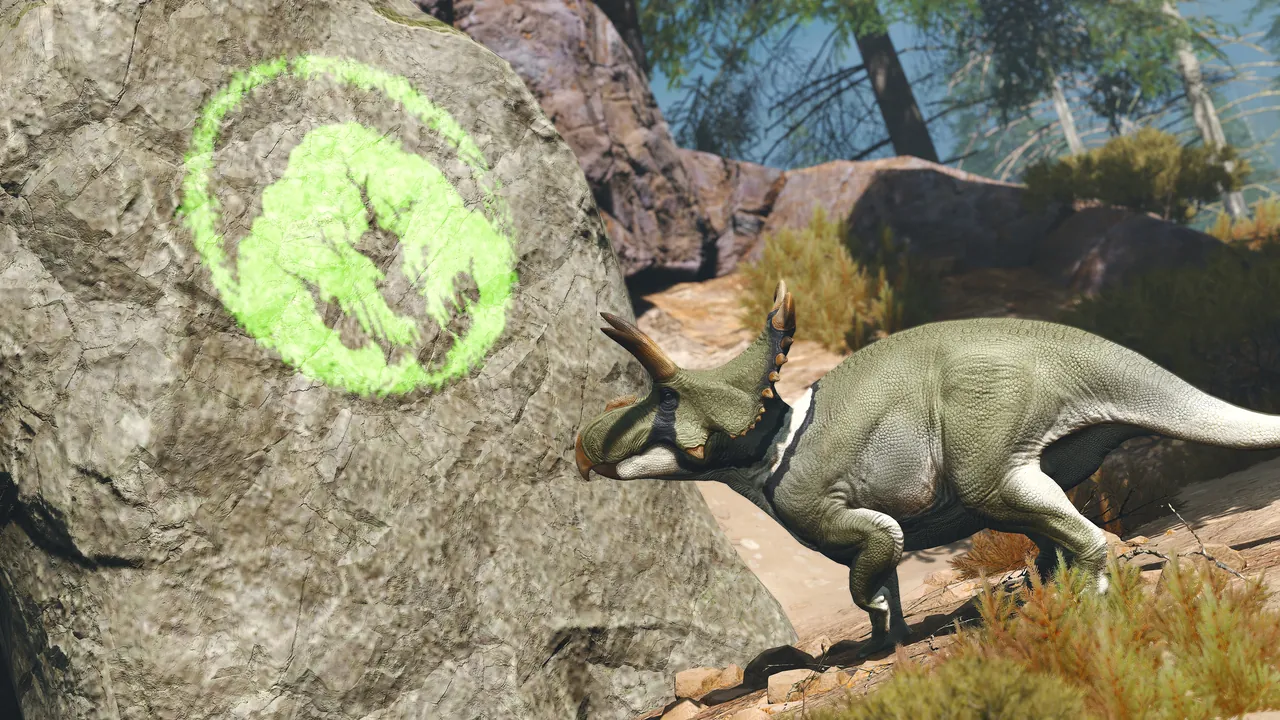
Running staff tools on a hosted server
On a GamezServers Path of Titans server, Game.ini and Commands.ini are in the file manager, so adding admins takes a stop, an edit and a start. The live console shows chat and command output as staff test their roles, and one click backups let you roll back a config change that went wrong. The hosting token, GUID, map, branch and player cap are panel fields. For the full setup see our Path of Titans hosting guide, and if players cannot see the server, our fixes for a Path of Titans server not showing in the list.
FAQ
How do I make myself admin on a Path of Titans server?
Add ServerAdmins=<your AGID> under [/Script/PathOfTitans.IGameSession] in Game.ini while the server is stopped, then start it.
How do I find my Alderon Games ID?
In the game's settings or account screen, in the Alderon launcher, or on your account page at alderongames.com. It looks like 123-456-789.
How do I promote a moderator in Path of Titans?
Type /promote <name or AGID> moderator in chat as an admin. /demote removes the role.
How do I see all admin commands?
Type /help in chat on your server. It lists the commands your role can use on that game version.
Where are Path of Titans bans stored?
On the server, under PathOfTitans/Saved/. They stay through restarts and updates.
Skip the setup. Your own Path Of Titans server.
Then $19.99/mo. Just trying it? $5.00 for 3 days