

 Insurgency
How to Set Up an Insurgency Co-op Checkpoint Server (2014)
Run Insurgency (2014) co-op against bots: start a _coop map in checkpoint mode, set sv_playlist nwi/coop, bot difficulty and lobby size in the right config.
Updated Oct 7, 2026 · 5 min read
On this page
- Why co-op is the best reason to host Insurgency today
- The co-op modes
- Step 1: Start on a co-op map
- Step 2: Choose a co-op playlist
- Step 3: Squad size and bot difficulty
- Step 4: Put mode settings in the mode config
- Step 5: A co-op map rotation
- Step 6: Private or public
- Making bots smarter or meaner with SourceMod
- Run it without a spare PC
- FAQ
To run an Insurgency (2014) co-op server, start a co-op map in Checkpoint mode (map market_coop checkpoint), set sv_playlist "nwi/coop" (or coop_elite or coop_hardcore for harder rules), set the human squad size with mp_coop_lobbysize, and set bot skill with ins_bot_difficulty from 0 (easy) to 3 (brutal). Put mode specific settings in server_checkpoint.cfg, because that file loads after server.cfg and overrides it.
Why co-op is the best reason to host Insurgency today
PvP needs two full teams of humans, and in 2026 that is hard to find outside the few busy community servers. Co-op needs only your squad. Bots fill the enemy side, so four or six friends can play a full Checkpoint push on a Tuesday night. That makes co-op the most common reason groups run their own Insurgency (2014) server now.
If you have not installed the server yet, start with how to host an Insurgency (2014) server. Playing the sequel instead? Sandstorm is a separate game with its own server: see how to host an Insurgency Sandstorm server.
The co-op modes
| Mode | What happens | Map names |
|---|---|---|
| Checkpoint | Push through objectives against waves of bots, capturing each to respawn your team | Maps ending in _coop, such as market_coop |
| Hunt | Hunt down the bots or destroy their weapons cache | Regular maps, such as buhriz |
| Outpost | Defend against waves | Regular maps |
| Survival | Co-op survival against bots | Regular maps |
| Conquer | Co-op objective control against bots | Regular maps |
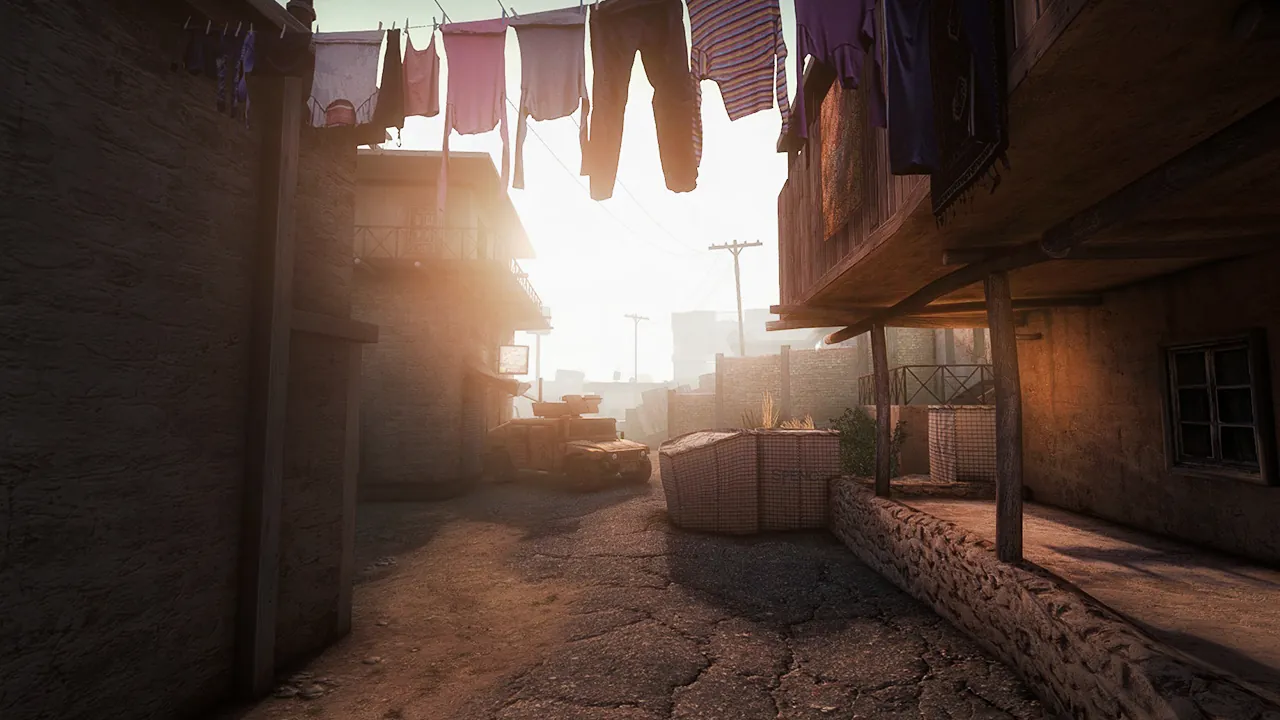
Checkpoint is the classic and the one most groups mean when they say Insurgency co-op. The _coop maps are versions of the PvP maps built for it: buhriz_coop, district_coop, embassy_coop, heights_coop, market_coop, ministry_coop, revolt_coop, siege_coop, sinjar_coop, tell_coop and verticality_coop, among others.
Step 1: Start on a co-op map
The map command takes the map and the mode:
map market_coop checkpoint
map buhriz hunt
map contact survival
Type it in the server console to switch right away. For a self hosted server, put it on the start line as +map market_coop checkpoint.
On a GamezServers server, the Default Map field in the panel takes a single map name, such as market_coop, and the server boots into it. Then use the live console with map market_coop checkpoint to be sure of the mode, and set your rotation (step 4) so every following map is co-op too.
Step 2: Choose a co-op playlist
In insurgency/cfg/server.cfg:
sv_playlist "nwi/coop"
| Playlist | Feel |
|---|---|
nwi/coop |
Standard co-op |
nwi/coop_elite |
Tougher rules for experienced squads |
nwi/coop_hardcore |
Hardcore rules, minimal help |
Official playlists enforce their settings and will override some of yours. If you want to change things they lock, such as heavy theater edits, switch to the custom playlist and set everything yourself.
Step 3: Squad size and bot difficulty
These are the settings that make the night fun or miserable.
mp_coop_lobbysize 6
ins_bot_difficulty 1
ins_bot_change_difficulty 1
| Setting | What it does |
|---|---|
mp_coop_lobbysize |
How many human players the co-op lobby takes |
ins_bot_difficulty |
0 easy, 1 normal, 2 unforgiving, 3 brutal |
ins_bot_change_difficulty |
1 applies a difficulty change instantly, 0 only to newly added bots |
Start on 1 with a new group. Move to 2 once the squad clears maps without wiping. 3 is for squads that move as a unit and call out every window.
The bot count settings vary between builds, and many old guides copy them with typos. To see exactly what your server supports, type this in the server console:
cvarlist ins_bot
It lists every bot cvar with its current value. Set the counts you want in server_checkpoint.cfg (next step) and check them with the same command after a map change.
To stop players changing these mid game, turn off the votes:
sv_vote_issue_botdifficulty_allowed 0
sv_vote_issue_botcount_allowed 0
Step 4: Put mode settings in the mode config
Insurgency loads server.cfg, then a mode config when the mode starts. The cfg folder ships default_server_checkpoint.cfg and similar files for each mode. Make your own:
- Copy
default_server_checkpoint.cfgtoserver_checkpoint.cfgininsurgency/cfg. - Put your Checkpoint specific settings in it, such as bot difficulty and bot counts.
- Change the map so it loads.
Do the same for server_hunt.cfg if you run Hunt. The rule of thumb: anything that applies to every mode goes in server.cfg; anything for one mode goes in that mode's file. When a setting keeps reverting, it is almost always set in both places.
Step 5: A co-op map rotation
Point the server at a co-op map cycle in server.cfg:
mapcyclefile "mapcycle_cooperative.txt"
Then list map and mode pairs in that file, one per line:
market_coop checkpoint
ministry_coop checkpoint
siege_coop checkpoint
buhriz hunt
Keep it short at first. A rotation of four or five maps the squad enjoys beats a long list nobody remembers.
Step 6: Private or public
For a private squad, set a password in server.cfg:
sv_password "squad-only"
Players type password squad-only in the console before connect. A passworded server on an official playlist is not matchmade, which is what you want for a private group.
Making bots smarter or meaner with SourceMod
SourceMod plugins for Insurgency add bot tweaks, stats and admin tools. Install Metamod:Source and SourceMod into the insurgency folder, then add plugins to addons/sourcemod/plugins. After a game update, check that they still load, since Insurgency updates have broken plugins before.
Run it without a spare PC
An Insurgency server from GamezServers is a good fit for co-op: a squad against bots runs comfortably on a small plan, the Default Map and auto update are in the panel, and server.cfg, server_checkpoint.cfg and map cycles are in the file manager. The live console takes map commands and cvarlist, and the squad can split the bill so nobody pays for everyone.
FAQ
How do I start a co-op game on an Insurgency server?
Load a co-op map with its mode, for example map market_coop checkpoint, and use a co-op playlist such as nwi/coop.
How do I change bot difficulty in Insurgency?
Set ins_bot_difficulty to 0 (easy), 1 (normal), 2 (unforgiving) or 3 (brutal), ideally in server_checkpoint.cfg, and change the map.
Why do my bot settings keep resetting?
The mode config or the playlist sets them after server.cfg. Put them in server_checkpoint.cfg, or use the custom playlist.
How many players can join a co-op server?
The human squad size is mp_coop_lobbysize. Bots fill the enemy side.
Can I play co-op on any map?
Checkpoint needs the _coop versions of maps. Hunt, Survival, Outpost and Conquer run on regular maps.
Skip the setup. Your own Insurgency server.
Then $4.99/mo. Just trying it? $1.25 for 3 days
 Minecraft