

 Project Zomboid
How to Play Project Zomboid with Friends (Build 42 Guide)
How to play Project Zomboid with friends: split screen, hosting from the main menu with Steam invites, or a dedicated server that stays online.
Updated Oct 3, 2026 · 6 min read
On this page
- What are the ways to play Project Zomboid with friends?
- How do I play split screen Project Zomboid?
- How do I host Project Zomboid from the main menu?
- When should my group use a dedicated server?
- How do friends join a Project Zomboid server?
- Which build should we play, Build 41 or Build 42?
- What server settings should friends agree on?
- Playing Project Zomboid with friends on GamezServers
- FAQ
There are three ways to play Project Zomboid with friends: split screen on one PC for up to 4 players with controllers, hosting a server from the main menu and inviting friends through Steam, or a dedicated server that keeps Knox County running when the host is offline. Everyone must be on the same build (Build 42 is the stable branch) with the same mods.
What are the ways to play Project Zomboid with friends?
| Way | Players | Online when host is off? | Setup | Best for |
|---|---|---|---|---|
| Split screen | Up to 4 on one PC | No | Plug in controllers | Couch co-op |
| Host from the main menu | Up to your MaxPlayers, limited by the host PC |
No | A few clicks | Sessions where everyone plays together |
| Dedicated server | Up to 254 on Build 42, limited by hardware | Yes | SteamCMD or a host | Long running worlds, different schedules |
The deciding question is whether your group always plays at the same time. If yes, hosting from the menu is fine. If people want to log in on their own, loot while others sleep, or the world should keep running for weeks, use a dedicated server.
How do I play split screen Project Zomboid?
Project Zomboid supports local split screen on PC for up to 4 players, one keyboard and mouse plus controllers.
- Start or load a game.
- Connect a controller for each extra player.
- Add the extra player from their controller and create their character.
Split screen shares one PC's power, so performance drops with every extra screen, and everyone has to be in the same room.
How do I host Project Zomboid from the main menu?
The Host option runs a server on your PC while you play.
- On the main menu, click Host.
- Create server settings or edit the default: name, password, player limit, PvP and the sandbox options (zombie population, loot, when water and power shut off).
- In the host screen, pick how much memory the hosted server gets. Leave enough for your own game too.
- Start the server. Your character loads in once it is running.
Inviting friends: while the game runs, open the Steam overlay (Shift + Tab) and invite friends to the game, or friends can right click you in their Steam friends list and choose Join Game.
Joining by IP instead: friends click Join on the main menu, enter your public IP and port 16261, a username and password for their account on your server, then Save and Join. This needs UDP 16261 and 16262 forwarded on your router.
The host's PC runs the game and the server at the same time, and the world stops when the host quits. For a few friends who always play together, that is fine.
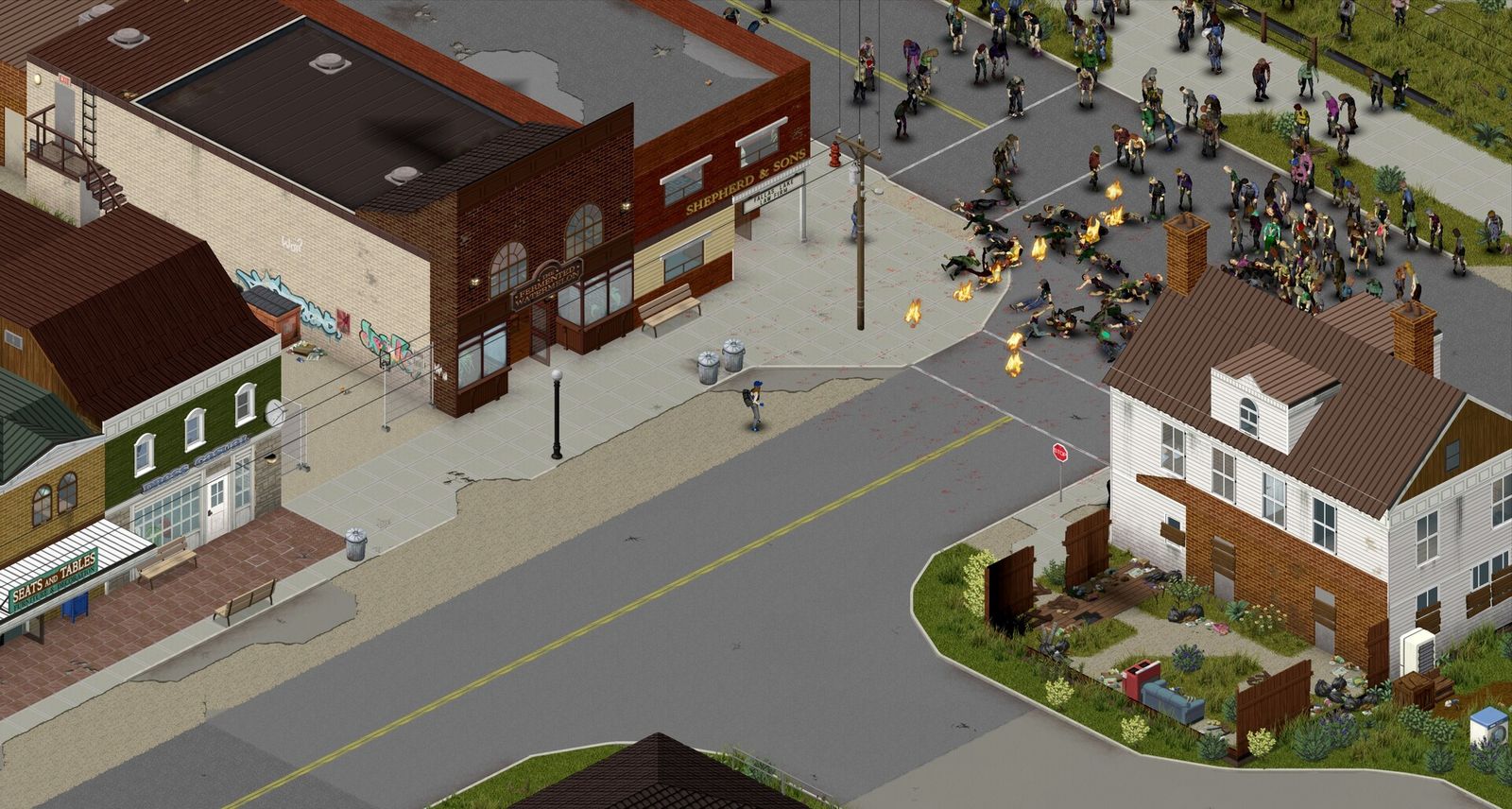
When should my group use a dedicated server?
A dedicated server is a separate program that runs the world on its own. Choose one when:
- People play at different times. Friends in other time zones log in whenever they like.
- The host does not want their PC on. The world lives on the server, not the host's machine.
- The world is long term. Farms, safehouses and generators keep going over weeks of play.
- Your group is bigger. Build 42 supports up to 254 players since hotfix 42.20.3, and a dedicated machine handles more than a gaming PC that is also rendering the game.
The server is Steam app 380870 and is free to download. Setup steps are in how to make a Project Zomboid server. If you already have a hosted world, moving a Project Zomboid save to a server explains how to bring it along.
How do friends join a Project Zomboid server?
- Launch Project Zomboid on the same build as the server.
- Click Join on the main menu.
- Enter the server IP in the IP box and the port in the port box, separately. Add the join password if there is one.
- Choose a username and password. The first time you join, these create your account on that server, so reuse them every time or you start over as a new character.
- Click Save, select the server and click Join. Workshop mods download automatically.
If a friend cannot connect, the usual culprits are a different build, a mod version mismatch or the wrong port. See Project Zomboid can't connect to server.
Which build should we play, Build 41 or Build 42?
Build 42 is the stable branch since 29 July 2026, with server authoritative inventories and loot, and it is the default for new worlds. Build 41 is still available on the legacy41 branch for groups finishing an old world or running Build 41 only mods. A Build 41 game cannot join a Build 42 server, and saves do not carry over between them. To switch, open the game's Properties in Steam, go to Game Versions and Betas and pick the branch.
What server settings should friends agree on?
Agree on these before the first night, then set them in the server ini (named after your server, for example servertest.ini) or the host screen:
| Setting | What it does | Typical friend group choice |
|---|---|---|
PVP |
Players can hurt each other | false for pure co-op |
Password |
Join password | Set one |
MaxPlayers |
Player limit, default 32 | Your group plus a couple |
PauseEmpty |
Pauses the world when nobody is online | true so nobody misses the apocalypse |
SleepAllowed / SleepNeeded |
Whether players can or must sleep | Both false unless everyone agrees |
SafehouseAllowTrepass |
Non members can enter safehouses | true in co-op |
Sandbox options (zombie count, loot rarity, when utilities shut off, respawn) live in the _SandboxVars.lua file next to the ini. The full rundown is in best Project Zomboid server settings. To keep the server friends only, see how to make a Project Zomboid server private.
Playing Project Zomboid with friends on GamezServers
If nobody wants to leave a PC running, our Project Zomboid server hosting keeps Knox County online for your group. Plans start at 14.99 USD a month for 6 GB and 8 slots, with 8 GB and 16 slots at 19.99 USD. Build 42 or Build 41, join password, whitelist and Workshop mods are panel settings, and the server updates itself on every restart. Your group can each pay their own share from a link, new customers get 50% off the first month on monthly plans, and you can cancel anytime.
FAQ
Can you play Project Zomboid with friends on one PC?
Yes. Split screen supports up to 4 players on one PC, using controllers for the extra players.
How do I invite friends to my Project Zomboid game?
Host from the main menu, then invite them through the Steam overlay, or have them use Join Game from your Steam profile. They can also join by IP if your ports are forwarded.
Do my friends need to own Project Zomboid?
Yes. Each player needs their own copy on Steam, on the same build as the server.
Does the world keep going when the host leaves?
Not when hosting from the main menu, since the server stops with the host's game. A dedicated server keeps running for anyone who logs in.
How many friends can play Project Zomboid together?
Up to 4 in split screen, and up to 254 on a Build 42 dedicated server. Most groups play with 2 to 8.
Skip the setup. Your own Zomboid server.
Then $14.99/mo. Just trying it? $3.75 for 3 days