

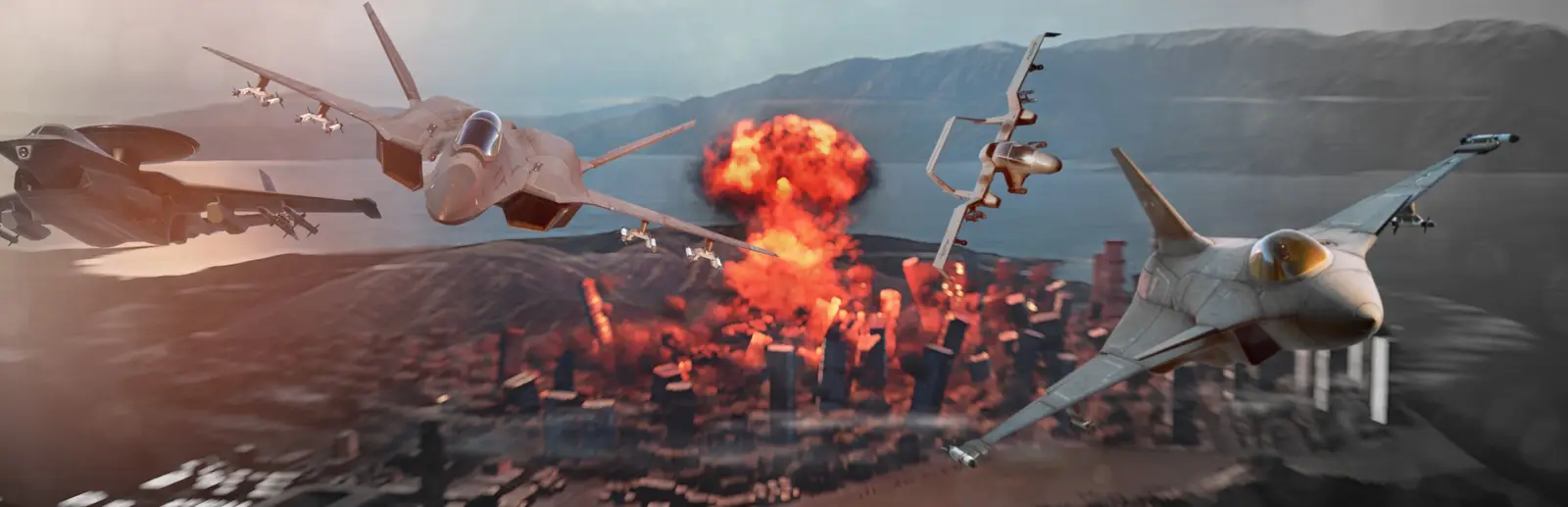
Nuclear Option server hosting
Jets, helicopters and nukes for your squadron.
Your own Nuclear Option server for PvP operations or co-op against the AI. Pick the missions at checkout and your squadron finds it in the server list.
Staying longer? Subscribe and get 50% off your first month
- DDoS protected
- 24/7 support
- Live the moment you pay
- Split the billUp to 10 friends, own cards
- Custom plansAny RAM up to 32 GB
- Prepaid or monthly3 days to 1 year
- Live in 60 secondsNo setup, no waiting
- Cancel any timeNo contracts, ever
Pick your Nuclear Option plan
Every plan is live the moment you pay. Upgrade or cancel from your dashboard any time.
Starter
3 GBThen $7.99/mo. $0.27 a day.
- 3 GB RAM
- 2 vCPU cores
- Up to 4 players
- DDoS protection included
- 24/7 support
Standard
4 GBThen $9.99/mo. $0.33 a day.
- 4 GB RAM
- 3 vCPU cores
- Up to 8 players
- DDoS protection included
- 24/7 support
Pro
6 GBThen $14.99/mo. $0.50 a day.
Splitting with 3 friends? $4.77 each/mo
- 6 GB RAM
- 4 vCPU cores
- Up to 16 players
- DDoS protection included
- 24/7 support
What comes set up on a Nuclear Option server
Missions from a menu
PvP operations, co-op against the AI as either side, or your own list with Workshop missions.
Steam Workshop missions
Add a Workshop item id and the server downloads the mission and keeps it updated by itself.
Admin buttons that work
Chat, kick, ban, next mission and the mission timer, sent through the official server commands.
Idles while empty
With nobody online the server waits without a mission loaded, then starts the next one when the first pilot joins.
A look inside Nuclear Option
Real screenshots from the game. Click any of them to see it full size.
How much RAM does a Nuclear Option server need?
Find the row that sounds like your group and we will point you at the right plan.
| Your server | RAM | Plan |
|---|---|---|
| A small squadron, up to 8 pilots | 3 GB | Starter$7.99/mo |
| Up to 16 players, the size the game recommends | 4 GB | Standard$9.99/mo |
| Big public servers up to 32 players, or unit heavy Workshop missions | 6 GB | Pro$14.99/mo |
This is the panel. Click around.
This is the Nuclear Option panel you get. Click any button, or type a command.

Nuclear Option Server
play.gamezservers.com:7777
[12:00:00] Starting Nuclear Option server
[12:00:03] Loading world
[12:00:06] Server started on port 7777
[12:00:09] Ready for players. Try a button.
Power
Nuclear Option actions
How to join your Nuclear Option server
- 1
Launch Nuclear Option and open Multiplayer from the main menu.
- 2
Find
My Nuclear Option Serverin the server list and join it. - 3
Enter the password if you set one.
- 4
Pick a side and an aircraft once the mission has loaded.
Common problems
Look for the name, not the IP
Nuclear Option lists dedicated servers in its in game server list. A server that just started can take a minute or two to show up there.
The first player waits a little
An empty server has no mission loaded. When the first player joins it loads the next mission in the rotation, so that first join takes a few extra seconds.
Failed to join: Invalid version
The server and the game are on different builds. Restart the server to update it, and let Steam update the game on every PC.
Server not responding
Make sure the server is online. Servers sleep after 4 days with nobody playing, and anyone with access can start them again from the dashboard in one click.
Use the server address
Do not use localhost, 127.0.0.1 or your own IP from a home hosting guide. Copy the exact address of the server.
No port forwarding or firewall changes
Opening ports on your router is only for hosting a server at home, so there is nothing to change to join this one. If Windows asks whether to let the game through the firewall, choose Allow.
Modding your Nuclear Option server
Our Nuclear Option servers run the official Shockfront build. Custom content comes as missions: put a Steam Workshop item id in the mission list and the server downloads and updates it, or upload missions from the in game mission editor to the NuclearOption-Missions folder. Code mods are not supported on our servers.
Nuclear Option server hosting, explained
A Nuclear Option dedicated server is a free tool from Shockfront Studios, installed through SteamCMD as app 3930080 and released with update 0.31. Without one, a multiplayer match only lasts as long as the player hosting it stays in. A dedicated server runs the mission rotation on its own and lists itself in the in game server list, so your squadron can drop in any time, and whoever started the evening can leave without ending the war for everyone else.
Everything is set in one file, DedicatedServerConfig.json: the server name, password, player cap, ports, ban lists, vote kick rules and the mission rotation. Missions are referenced by group and name. BuiltIn covers the large operations like Escalation on Heartland and Terminal Control on the Ignus Archipelago, plus co-op versions where everyone flies for BDF or PALA against the AI. Workshop missions are added by their item id and download by themselves, and missions from the mission editor load from a folder. On our servers the rotation is a menu in the panel, and the official remote commands sit behind buttons for chat, kicks, bans and the next mission.
The server is light on memory: it idles at about half a gigabyte with no mission loaded and grows as a mission spawns its units. Shockfront warns that more than 16 players shows a performance warning in the server list, because every missile, vehicle and AI aircraft is simulated on the server, so fast CPU cores matter more than raw RAM. Our plans start with 3 GB for small squadrons, put the game's own 16 player size in the middle and give big public servers 6 GB and more cores.
Nuclear Option server guides
Nuclear Option7 min readHow to Host a Nuclear Option Server (Step by Step, 2026)
Host a Nuclear Option server for your squadron in minutes. Pick a plan, choose PvP or co-op missions, find it in the server list and run it from your browser.
ReadNuclear Option6 min readHow to Host a Nuclear Option Server for Free (2026)
How to host a Nuclear Option server for free: host a game from the menu, or run the free dedicated server (app 3930080) on a spare PC, with limits and specs.
ReadNuclear Option6 min readNuclear Option Patch Notes 2026: Update 0.33 to 0.34.2 Explained
Nuclear Option patch notes for 2026: Update 0.33 Alkyon, 0.33.4 vote kick and server commands, 0.34 Vagrant and artillery, and what changed for servers.
ReadNuclear Option6 min readHow to Make a Nuclear Option Dedicated Server (2026 Guide)
Run your own Nuclear Option dedicated server on Windows or Linux. SteamCMD app 3930080, ports 7777 and 7778, DedicatedServerConfig.json and how players join.
ReadNuclear Option6 min readHow to Set Up a Nuclear Option Server Mission Rotation (PvP, Co-op, Workshop)
Set up the mission rotation on a Nuclear Option dedicated server. Every built in mission name, co-op vs AI missions, Steam Workshop and custom missions.
ReadNuclear Option6 min readNuclear Option DedicatedServerConfig.json Explained (Every Setting)
What every key in the Nuclear Option DedicatedServerConfig.json does: server name, password, ports, max players, ban lists, vote kick, rotation and timers.
ReadIncluded on every plan
- Always on DDoS protection
- 24/7 support from real people
- Low ping game hardware
- Live the moment you pay
- Your own address and port
- Live console with full access
- One click game actions
- One click backups
- Upgrade or cancel any time
Common questions
How many players can join?
You set the cap, and our plans go from 8 to 32 players. Shockfront recommends 16: above that the server list shows players a performance warning, because the server simulates every unit in the mission.
Can we play co-op against the AI?
Yes. Pick a co-op rotation in the panel and everyone flies for one side, BDF or PALA, against the AI in Escalation, Terminal Control, Confrontation, Domination and Altercation. The PALA list also includes Breakout, a co-op naval defense mission.
How do I add Workshop missions?
Set Missions to custom and add Workshop: followed by the item id to the mission list, for example Workshop:1234567890, next to built in names like Escalation. The server downloads Workshop missions when it starts and keeps them updated.
Can I connect by IP?
Nuclear Option joins dedicated servers from its in game server list, so players look for your server name there. Give a fresh server a minute or two to appear.
How do I kick or ban someone?
Press Players online to see the Steam ID of everyone on the server, then use Kick player or Ban player with that ID. Kicks last until the server restarts, bans are saved to ban_list.txt. Players can also vote kick, which you can turn off in the settings.
How long does a mission last?
Each mission runs until one side wins or the mission timer runs out, 120 minutes by default. Change Mission minutes in the panel, or use Set time left to change the current mission's timer.
Can I edit DedicatedServerConfig.json myself?
Yes, in Files. The name, password, player cap, ports and vote kick switch come from the panel settings on every start, and so does the rotation unless Missions is set to file. Everything else you change stays. Press Reload config file to apply it without a restart.
Does the server update itself?
Yes. It checks Steam for a new build every time it starts, so a restart after a game patch brings it up to date.
Can my friends and I split the cost?
Yes. At checkout choose "Me and my friends" and up to 10 people each pay their own share with their own card, on any plan length, from 3 days to a year. It is not a payment plan: nobody pays in parts over time, each friend simply pays their own share. You pay yours, send each friend their link, and the server starts straight away. Each share includes a $1 payment fee.
Can I build a custom plan?
Yes. Every game has a Build your own page: pick any amount of RAM up to 32 GB, any length from 3 days to 1 year, prepaid or a subscription, plus your server type and settings. A custom size costs 15% more per GB than the standard plans next to it.
Can I pay once instead of a subscription?
Yes. Pick Prepaid and pay once for 3 days, 30 days, 6 months or a year. Nothing renews: when the time is up the server pauses and keeps its world for 14 days. Add time or switch to a subscription from your panel any time. Short rentals cost more per day, since every server is set up from scratch.
How fast is setup, really?
Your server starts building the moment Stripe confirms payment. Most are online in under a minute, and the address and login appear on your dashboard automatically.
Players who host Nuclear Option also host


Your Nuclear Option server is a minute away
Jets, helicopters and nukes for your squadron.
Deploy Nuclear Option nowLive in 60 seconds · Cancel any time
Nuclear Option is a trademark of Shockfront Studios. GamezServers is not affiliated with or endorsed by Shockfront Studios.